Intertwined GRC›DORA register of information software
DORA register of information softwareCapture, validation and export
Intertwined maintains the register of information under DORA Art. 28 from the contracts, service providers and functions you already manage. Before export, the software checks the details against the EBA validation rules and generates the reporting package in XBRL-CSV format.
What matters for the submission
The register consists of 15 sheets that reference each other through identifiers. When it is maintained in spreadsheets, these are the main sources of error:
References between sheets
Contracts, providers, functions and uses reference each other through the contract number, LEI and function identifier. If an identifier differs in one sheet, the link is missing from the package.
Conditional mandatory fields
Many fields are mandatory only under certain conditions, for example when a contract supports a critical or important function. Which row is affected only becomes clear from the context.
Values from code lists
Countries, types of ICT services, currencies and classifications are reported as defined codes. Free text in these places leads to errors on submission.
Process: capture, validation, export
Capture or take over
Import providers and contracts from CSV or Excel files, take them over from third-party risk management, or import a completed workbook in the layout of the BaFin template. For each contract, the import also creates the use and the signatory.
Complete and validate
The “Complete” view collects missing details per contract. The validation reports errors and warnings and names the affected provider, contract or function, not just the sheet and row.
Export and record
Once there are no blocking errors, the XBRL-CSV package for submission is generated, plus, if you wish, the Excel workbook in the BaFin layout. The submission is logged with reporting date, person, time and an immutable data snapshot.
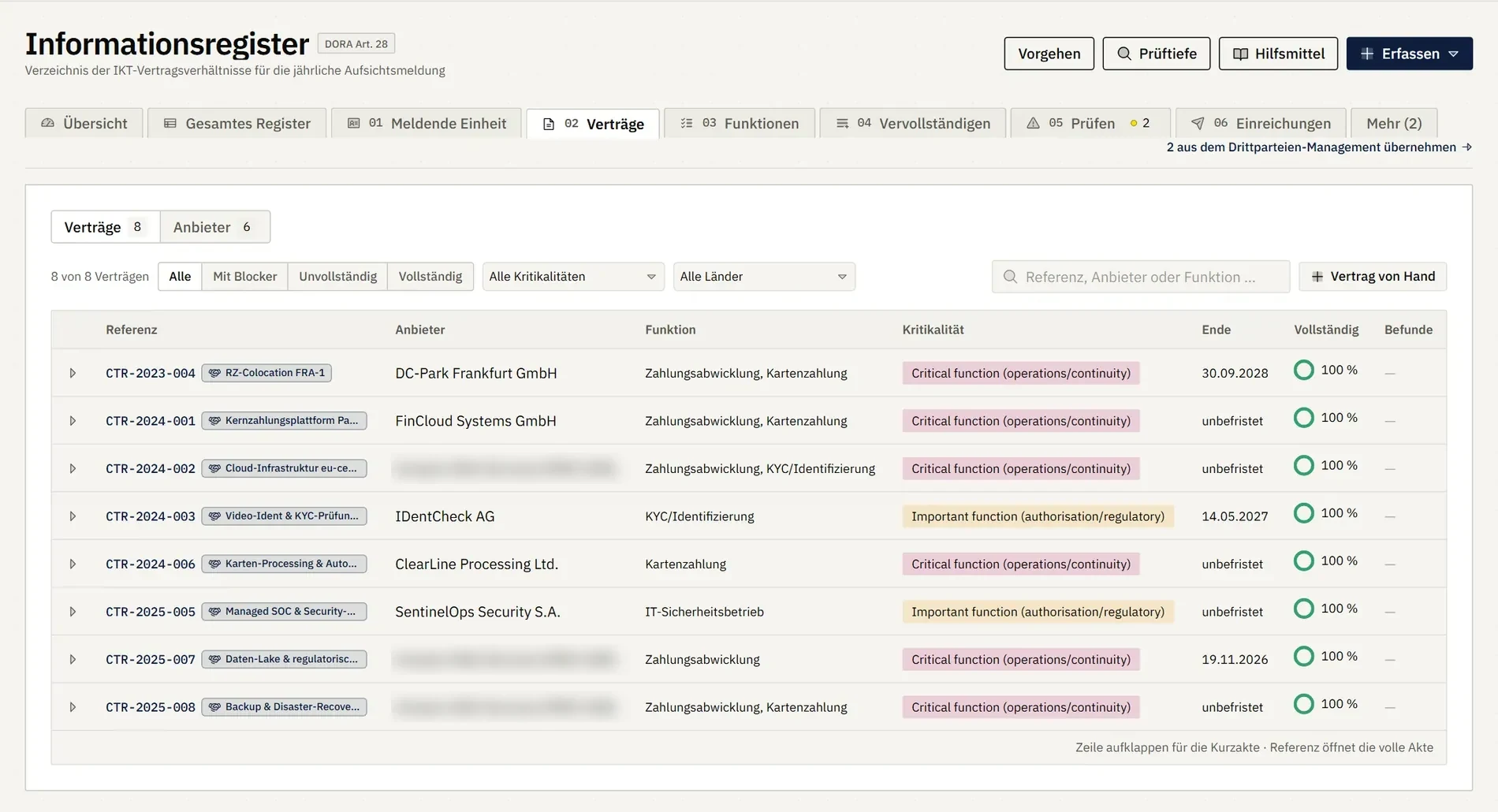
Contracts under DORA Art. 28
Provider, supported function, criticality and term per contract, checked for completeness.
- Third-party risk management
- Critical functions
- Process inventory
- ICT risk
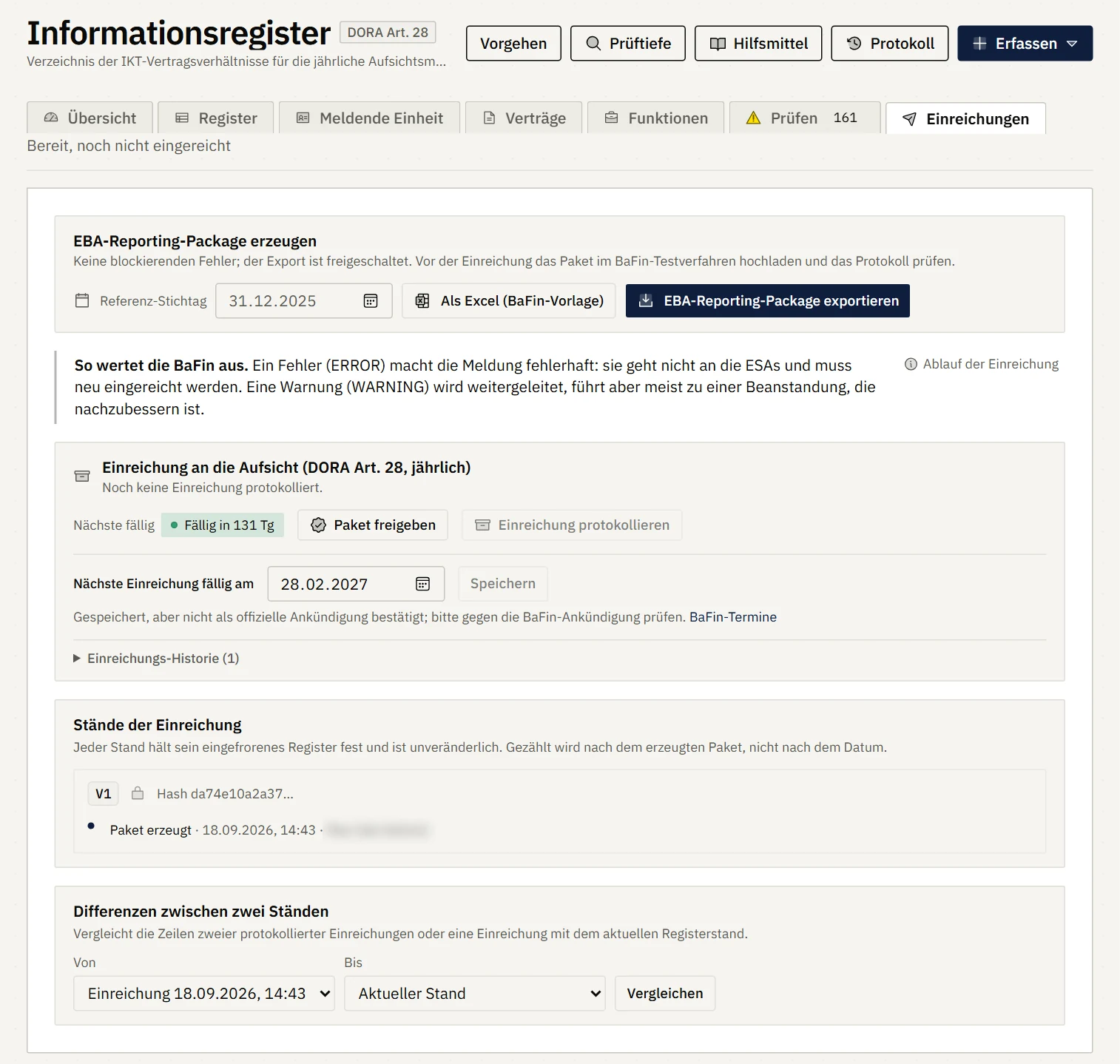
Export and submission snapshots
The reporting package is generated as soon as no blocking errors remain open. Each snapshot is frozen with a checksum and can be compared with the current register.
- Validation
- Change log
- Reminder before the deadline
What the software takes care of
- All sheets of the EBA templateReporting entity, contracts, uses, signatories, functions, providers, supply chain and assessment of ICT services, in the register individually and as a combined view.
- Takeover from third-party risk managementArrangements come from third-party risk management, and critical or important functions reference the processes in the inventory.
- Validation before exportBlocking errors lock the export. If warnings are open, the platform asks before generating the package.
- Submissions with data snapshotEvery submission is recorded with the data that was reported. Later changes to the register do not affect it.
- Change logEvery change to the register tables is logged with person and time and can be viewed in a dedicated view.
- Reminder before the deadlineYou set the submission deadline yourself, and the platform reminds you with the lead time you choose.
What the validation covers
For every validation run, the platform shows which rules it applied and which checks only the supervisor performs on receipt.
From the data
Mandatory fields, uniqueness of keys, values from the value lists and date formats according to the EBA validation rules.
Identifiers
LEI and EUID are checked for their format. Whether an identifier exists is only confirmed by GLEIF and the supervisor.
Receipt of the file
Intake, format and taxonomy checks of the generated file are carried out by the supervisor on receipt.
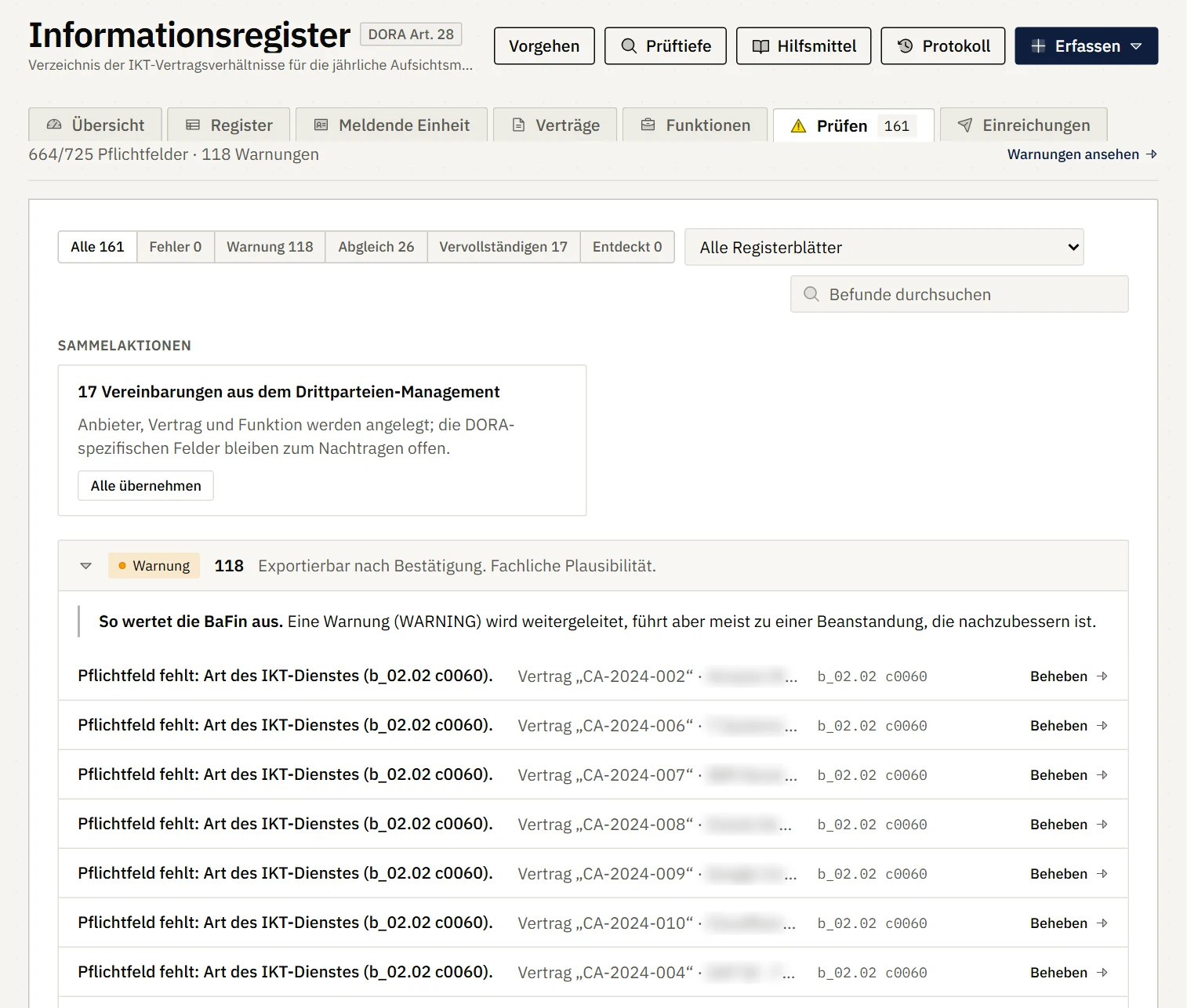
Findings with context
Each finding names the contract, the sheet and the field identifier of the EBA template and leads directly to the place where it is fixed.
- Contracts
- Functions
- Third-party risk management
Questions about the register of information
In which format does Intertwined export the register of information?
As an XBRL-CSV package (ZIP) in line with the EBA specification, with all sheets of the template, the reporting parameters and the indication of which sheets are filled. In addition, there is an Excel workbook in the layout of the BaFin template for reading and reconciliation.
Can we take over our existing register from Excel?
Yes. Providers and contracts can be imported from CSV or Excel files, as can a completed workbook in the layout of the BaFin template. When a contract is imported, the platform also creates the related use and signatory.
Does Intertwined check the register the same way the supervisor does?
The platform checks everything that can be checked from the data: mandatory fields, uniqueness, value lists and date formats according to the EBA validation rules. It checks LEI and EUID entries for their format. Whether an identifier exists and whether the file passes the technical intake checks is only established by GLEIF and the supervisor. An overview in the platform shows which rules were checked.
How is the annual submission evidenced?
Every submission is recorded in the platform: reporting date, person, time and the data as at the time of submission. This snapshot cannot be changed afterwards. The platform sends a timely reminder before the submission deadline you set.
How is the register connected to third-party risk management?
Arrangements can be taken over from third-party risk management, and critical or important functions reference the processes in the inventory. Service providers and contracts are therefore maintained only once.
Where is the data stored?
Customer data is stored in data centres in Germany, and the application also runs in Germany. Data leaves the EU only if you yourself switch on add-on services such as external queries or an AI provider. More about the platform on the Intertwined GRC home page.
See the register in Intertwined
In 30 minutes we show you the register of information with import, validation and export, and discuss how your existing register will be taken over. Book the meeting straight in the calendar or write to us using the form.
Direct contact:
intertwined@ccurity-consulting.com
Thank you, we have received your request.
We will contact you personally to arrange the call. A confirmation of receipt is already on its way to your email address.